
What Is an Automated Palletizing Robot?
An Automated Palletizing Robot is an industrial system that stacks products onto pallets with limited manual handling. It may use a robotic arm, gripper, sensors, and control software to move cartons from a conveyor into a planned arrangement. The result can be more consistent pallet loads and less repetitive lifting for workers. In practice, performance depends on the full line, not the robot alone.
A typical setup identifies each item, picks it up, and places it according to a programmed layer pattern. The gripper might use vacuum cups for sealed cartons or clamps for suitable packages. Sensors help detect product position, while safety equipment and clear work zones support controlled operation. Details matter. A box’s weight, surface, and dimensions can change which tool works reliably. Pallet size, required throughput, and available floor space also shape the design.
This guide explains what these robots do, how their main components work, and where they fit into packaging operations. It also covers common benefits, limitations, and practical considerations when evaluating a system. Automation is not an instant fix. A poorly matched robot can create bottlenecks, and changeovers may take more planning than expected. Even a well-designed cell needs maintenance, operator training, and monitoring. Those trade-offs are worth examining before judging whether robotic palletizing suits a particular facility.
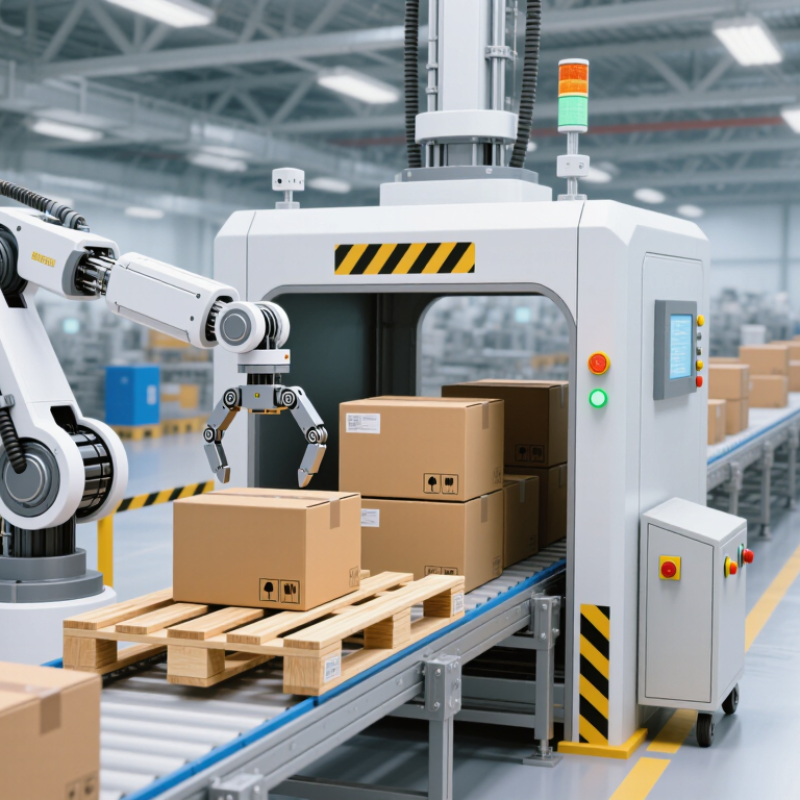
Table of Contents [Hide]
Definition and Core Purpose of an Automated Palletizing Robot
An automated palletizing robot is a programmable machine that places cartons, bags, or other unit loads onto a pallet in a planned arrangement.
Its core purpose is to build stable, repeatable pallet loads with less manual lifting and fewer placement variations. A typical cell includes a robot arm, an end-of-arm tool, safety equipment, and controls linked to upstream conveyors. Sensors or product data help the system identify each item and its position. The tool may grip a carton with vacuum cups or clamp its sides, depending on the package.
The robot follows a pallet pattern, often called a recipe, that specifies layer layout, orientation, and stacking order.
It can adjust to different box sizes when the system has been configured and tested for them. Small details matter. A crushed corner, slippery bag, or shifting conveyor can affect how securely an item is picked and placed. The goal is not simply speed; it is a load that stays intact during handling and transport.
It is not magic. Teams still need to check grip, alignment, and pallet stability, especially when packaging changes. A well-set system handles routine repetition reliably, but poor inputs can produce poor stacks.
Main Components and System Configuration
What Is an Automated Palletizing Robot?
Main Components and System Configuration
An automated palletizing robot places products onto pallets in planned patterns. Its core components include a robot arm, an end effector, a controller, sensors, and material-handling equipment. The end effector grips each item; it may use vacuum pads for cartons or mechanical clamps for stable loads. Grip choice depends on package shape, weight, and surface.
Products arrive on an infeed conveyor, where sensors detect position and spacing. The controller coordinates the robot’s movements with conveyor speed and pallet position. Operators can set layer patterns, carton orientation, and pallet height through the control interface. A pallet conveyor or lift table moves pallets into place and removes completed loads. Guarding, interlocked access points, and emergency stops help protect people working near the cell.
Fit the system to the actual line. A narrow aisle, mixed carton sizes, or uneven packaging can change the required reach and gripping method. No layout is perfect. Even a carefully designed cell may need adjustments after real cartons run through it. Test representative loads, including the slippery box that tends to rotate, before settling on a pattern. Keep the robot’s working area clear and leave practical access for inspection, cleaning, and routine maintenance.
How the Palletizing Process Works
Palletizing begins as cases leave a packing line on a conveyor. Sensors detect each case’s position, while a controller tracks its arrival and assigns it to a layer pattern. The robot then selects a case with a vacuum tool, clamp, or fork-style attachment. The right choice depends on the package’s weight, surface, and contents. It places each case in a planned position, building a stable layer from the pallet upward. Small gaps matter. A crooked first layer can make the whole stack less secure.
Between layers, the system may add a slip sheet for separation or stability. When the pallet reaches its target height, it moves onward for wrapping or pickup. Operators still need to check case dimensions, grip settings, and the pattern when products change. Real packages can be less uniform than a setup assumes. And the first pattern is rarely perfect.
The International Federation of Robotics reported 541,302 industrial robot installations worldwide in 2023 in World Robotics 2024. That figure covers industrial robots broadly, not palletizing alone, but it shows the scale of robotic automation. A practical palletizing setup also needs guarded work areas, safety interlocks, and clear recovery steps for dropped or misaligned cases. Those details keep the process dependable, not just fast.
What Is an Automated Palletizing Robot? - How the Palletizing Process Works
| Process stage | What the system does | Key data and inputs | Result or check |
|---|---|---|---|
| 1. Product arrives | A conveyor or infeed system presents cases, bags, cartons, or other unit loads to the palletizing cell. | Product dimensions, weight, orientation, line rate, and spacing between items. | Products arrive in a predictable position and orientation for pickup. |
| 2. Product is identified and positioned | Sensors, guides, or vision equipment detect product presence and help confirm its position. Some cells use fixed guides rather than vision. | Product type, barcode or recipe selection where used, position, orientation, and infeed status. | The controller selects the correct handling and stacking instructions. |
| 3. Robot picks the product | The robot moves to the pickup point and grips one or more items with an end-of-arm tool, such as a vacuum gripper, clamp, or fork-style tool. | Item weight and surface, grip points, tool capacity, and robot payload allowance, including the tool's weight. | The item is held securely for transfer without crushing or slipping. |
| 4. The layer pattern is planned | The control system arranges products into a programmed pattern, layer by layer, to use the pallet surface and support a stable load. | Pallet length and width, product footprint, permitted overhang, layer count, orientation, and load-height limit. | A stacking recipe defines each product's position and orientation on each layer. |
| 5. Products are placed on the pallet | The robot follows the programmed path and places items at the specified coordinates. It may rotate products between pickup and placement. | Placement coordinates, approach direction, layer number, product orientation, and pallet position. | Items are placed in the correct pattern with consistent positioning. |
| 6. Layers are completed and checked | The controller tracks completed picks and layers. A slip sheet or layer pad can be added between layers when the product or load design requires it. | Pick count, layer count, sheet placement, load height, and pallet-change status. | The system confirms that the programmed pallet quantity and layer sequence are complete. |
| 7. Full pallet is discharged | A conveyor, pallet dispenser, or forklift interface moves the completed pallet out and positions an empty pallet for the next load. | Pallet availability, discharge-ready signal, pallet dimensions, and downstream conveyor status. | The next palletizing cycle can begin once the empty pallet is correctly located. |
| 8. Safety and performance are monitored | Interlocked guards, presence-sensing devices, and safety controls help protect people. The controller can record cycle and fault information. | Safety-zone status, emergency-stop state, cycle time, fault codes, downtime, and completed pallet count. | The cell stops or changes state when a safety condition is triggered, and production data supports troubleshooting. |
An automated palletizing robot is a programmable robot system that picks products and stacks them onto pallets according to a defined pattern. Actual throughput and load limits depend on the robot, gripper, product, pallet pattern, and overall cell layout.
Common Robot Types and Palletizing Patterns
An automated palletizing robot places cases, bags, or other products onto a pallet in a planned arrangement. The right robot type depends on payload, reach, cycle rate, and available floor space. Articulated robots use several joints to reach across a pallet and handle varied case orientations. They suit flexible lines, though their reach and payload must match the heaviest load. Cartesian, or gantry, robots move along straight axes. Their broad work area can serve multiple pallet positions, but overhead structures need adequate clearance. Collaborative robots can fit lower-volume operations with frequent product changes. Their reach and lifting capacity may be limiting. No type is best for every line.
Patterns affect load stability as much as robot choice. Column stacking places cases directly above one another, making the pattern simple but sometimes less resistant to sideways movement. Interlocked, or brick, stacking alternates case direction between layers, helping neighboring boxes hold together. Pinwheel patterns rotate cases around the layer center and can use pallet space efficiently. Add slip sheets when the product or packaging calls for them. Check case strength, pallet dimensions, and whether labels or openings must face outward. Small details matter. A neat digital pattern can still fail when cartons bulge, pallet boards are uneven, or a gripper shifts a case. Test representative loads and inspect the finished stack before setting production rules.
Industrial Applications, Benefits, and Safety Considerations
What Is an Automated Palletizing Robot?
An automated palletizing robot places cases, bags, or other products onto pallets in a planned pattern. In warehouses and factories, it can handle repetitive stacking at the end of a packaging line. A typical cell includes a robot arm, a gripper, conveyors, and controls that coordinate product flow. Grippers must suit the load: a vacuum tool may lift cartons, while a clamp may handle stable bundles. The right choice depends on product shape, weight, and packaging.
Industrial Applications, Benefits, and Safety Considerations
These systems can support food processing, consumer goods, and building-material operations. They may reduce repetitive lifting and help maintain a steady stacking pace across shifts. Patterns can be adjusted for different pallet sizes, but frequent product changes may require careful setup. A layout that looks tidy on paper can still cause jams when cartons arrive skewed or vary in size. That detail matters.
Safety planning should cover the full cell, including conveyors and pallet-changing areas. Use suitable guarding, access controls, and clearly defined procedures; train workers on normal operation and recovery from faults. Risk assessments and maintenance should be reviewed as equipment or workflows change.