
contact-button

7 Best 3D Plastic Printers for Every Budget

Choosing a 3d plastic printer is less about chasing the biggest specification and more about matching the machine to the work. A student printing small models has different needs from a product designer testing fitted parts. Build volume, material compatibility, setup time, and replacement costs all shape the real budget. A low purchase price can still lead to expensive reprints.

The wider industry is growing. Wohlers Report 2024 estimated that global additive manufacturing revenues reached about $20.0 billion in 2023, an 11.1% increase from 2022. That figure covers the broader industry, not just home plastic printers, so it should not be mistaken for consumer sales data. Still, it reflects expanding use of additive manufacturing across prototyping and production.

For everyday plastic printing, fused-filament machines are often a practical starting point. A smooth PLA print may suit a display model, while a functional part can demand stronger materials, careful temperature control, and a reliable build surface. Small details matter. A printer that looks simple in a product photo may need calibration, maintenance, and patience. Not always glamorous.

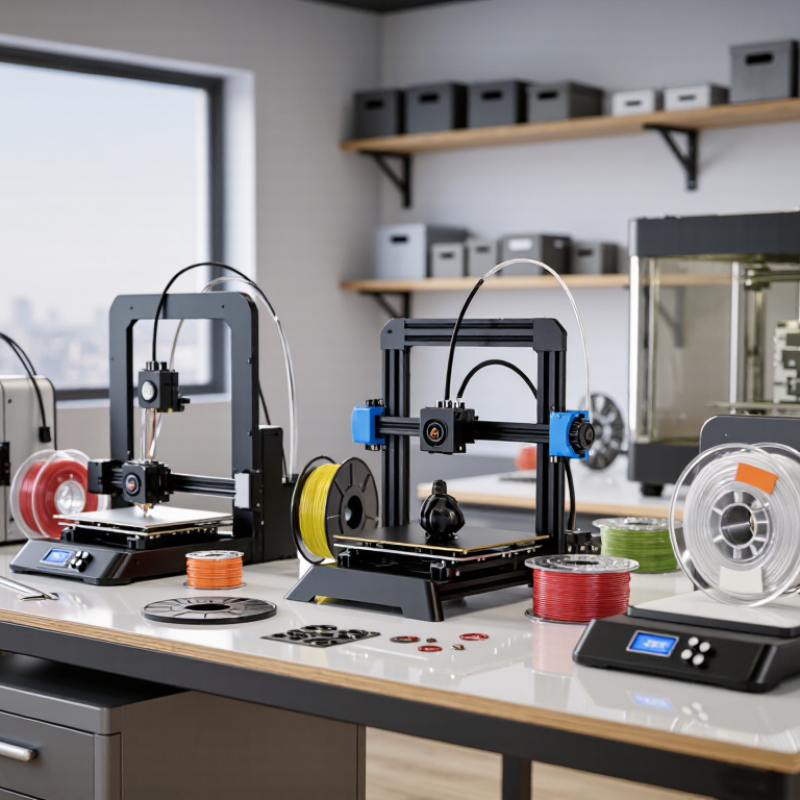
This guide compares seven options across different price levels, focusing on usable features rather than headline claims. It also considers where each machine may fall short, because no printer is best for every workshop. The right choice depends on what you plan to make—and how much troubleshooting you are willing to accept.
7 Best 3D Plastic Printers for Every Budget

Understanding the Main Types of Plastic 3D Printing

7 Best 3D Plastic Printers for Every Budget
Understanding the Main Types of Plastic 3D Printing

Plastic 3D printers use different processes, and each suits a different kind of project. Fused deposition modeling, or FDM, pushes melted plastic filament through a heated nozzle. It is often the most accessible option for making brackets, storage clips, and larger prototypes. You may see fine layer lines on a finished part. They are normal, but can matter when appearance is important. Filament choice also affects strength, flexibility, and print settings.

Resin printing uses light to harden liquid photopolymer in thin layers. It can capture small details, such as lettering or miniature surface features, but parts need washing and curing after printing. Resin requires careful handling. Selective laser sintering, or SLS, fuses plastic powder into solid parts. It can produce complex shapes without support structures, though machines and materials generally cost more. The “best” process depends on your part, not just the printer price.

Tips: Match the process to the job. Use FDM for practical, larger parts; consider resin for tiny details; look at SLS for intricate, functional designs. Check the material’s temperature and strength limits before relying on a printed part. A small test print helps. I’ve found that print estimates can be optimistic, especially when setup and finishing time are ignored.

Comparing Printers by Price, Performance, and Ease of Use

Choosing among seven plastic 3D printers means balancing cost, print quality, and setup time. A compact entry-level model suits small parts and tight budgets, though its build area can feel limiting. An open-frame starter printer costs a little more and offers room to learn, but drafts may affect tall prints. An enclosed budget model helps maintain steadier temperatures and is easier to manage in a shared room.

For stronger performance, a midrange printer with a direct-drive extruder handles flexible filament more reliably. A large-format machine can produce oversized pieces, but it takes up real space and may need careful calibration. High-speed models shorten simple jobs, yet fast movement does not guarantee clean details. An enclosed professional printer often offers the best consistency and easiest workflow, at a much higher price. Price labels vary by region, so compare included parts, warranty, and replacement-nozzle costs—not just the advertised figure.

Tips: Check the usable build volume against an object you actually plan to print. Read setup instructions before buying. A printer that is easy to level can save hours. Keep a small notebook of temperature and speed settings; I still find that one material behaves oddly from spool to spool. Don’t assume the fastest option is best.

7 Best 3D Plastic Printers for Every Budget - Comparing Printers by Price, Performance, and Ease of Use

A brand-free comparison of representative FDM/FFF printer configurations. Prices are approximate US retail ranges and may change; maximum temperatures and build volumes are manufacturer-rated specifications. Actual print speeds depend on material, settings, and model geometry.

Rank & Printer Type Approx. Price (USD) Build Volume (W × D × H) Max. Nozzle / Bed Temperature Enclosure Material Suitability Performance & Ease of Use Best For
1. Compact Cartesian printer $350–$450 180 × 180 × 180 mm Up to 280°C / 100°C No PLA, PETG; limited ASA use with suitable ventilation Small footprint and straightforward operation; smaller parts only. Beginners, classrooms, and compact workspaces
2. Entry-level open-frame bedslinger $150–$250 220 × 220 × 250 mm Up to 260°C / 100°C No PLA, PETG; ABS/ASA generally require an enclosure and ventilation Low-cost, widely usable format; may need more manual setup and tuning. First-time buyers and budget-conscious makers
3. High-speed open-frame bedslinger $250–$350 220 × 220 × 240 mm Up to 300°C / 100°C No PLA, PETG, TPU; ASA/ABS with enclosure and ventilation Automatic calibration and faster motion than basic entry-level designs; advertised top speeds are not typical for every print. Users seeking speed without a large upfront cost
4. Open-frame 256 mm printer $300–$450 256 × 256 × 256 mm Up to 300°C / 100°C No PLA, PETG, TPU; enclosure recommended for ASA/ABS Large build area and automated bed calibration make everyday printing more convenient. Hobbyists printing larger models and functional parts
5. Enclosed 220 mm printer $450–$650 220 × 220 × 220 mm Up to 280°C / 110°C Yes PLA, PETG, ABS, ASA; follow material ventilation guidance Enclosure helps stabilize temperature and reduce drafts; a good balance of convenience and material range. Home workshops and users printing engineering plastics occasionally
6. Enclosed 256 mm CoreXY printer $600–$800 256 × 256 × 256 mm Up to 300°C / 100°C Yes PLA, PETG, ABS, ASA; some models support fiber-filled filaments with a hardened nozzle Fast CoreXY motion, enclosed build space, and automated functions offer strong all-round performance. Frequent printing, multi-material workflows, and demanding hobby use
7. Large-format enclosed printer $800–$1,200 325 × 325 × 315 mm Up to 350°C / 120°C Yes PLA, PETG, ABS, ASA, nylon; material requirements vary by filament Large build volume and high-temperature capability; requires more space and careful ventilation. Prototyping, larger parts, and advanced material use

Seven Plastic 3D Printers Across Different Budget Levels

Plastic 3D printers span more than a price range; they differ in build volume, setup, speed, and material control. This guide compares seven options across distinct budget levels, from compact starter machines to larger, more capable systems. The goal is practical fit, not a flashy feature list.

At the entry level, a basic open-frame printer can handle simple brackets and desk organizers, though drafts may affect tall prints. Mid-priced enclosed models help maintain steadier temperatures for common plastics. Faster machines save time on prototypes, but speed claims matter less if corners curl or small details blur. Look for a heated bed, reliable filament feeding, and accessible replacement parts. Small details count.

Higher-budget choices may offer larger build areas, finer motion control, or support for multiple materials. Those features are useful for functional parts, but they add setup and maintenance demands. A bigger machine also needs more space than product photos suggest. Measure the shelf, check ventilation guidance, and account for filament costs before choosing. Printed samples can reveal layer consistency, sharp edges, and bridging quality, but one sample cannot predict every result. Settings, material, and room conditions all play a part. Even a well-reviewed printer may need patient calibration.

7 Best 3D Plastic Printers for Every Budget

A practical buying guide: compare the typical nozzle temperatures required by seven common 3D-printing plastics.

How to use this chart: Bars show the midpoint of a typical nozzle-temperature range, not a printer test result. Approximate ranges are PLA 190–220°C, PETG 220–250°C, TPU 210–240°C, ABS 230–260°C, ASA 240–260°C, nylon 240–270°C, and polycarbonate 260–310°C. Actual settings vary by filament formulation and printer; check the filament maker’s guidance. Printers with higher-temperature hotends generally support a wider range of materials.

Evaluating Materials, Applications, and Long-Term Costs

Choosing among seven plastic printers should start with the part, not the price tag. A desktop filament machine can suit brackets, prototypes, and classroom models. Resin systems capture fine surface detail, but parts often need washing and curing. Powder-based polymer systems can produce complex, durable parts, yet require more space and process control. The trade-off is real.

Material cost is only one line item. Compare the cost per usable part, including support waste, failed prints, electricity, replacement components, and hands-on time. A low-cost printer may become expensive if calibration eats an hour each week. Check whether the machine reliably handles the materials your application needs, especially when heat resistance or flexibility matters. Small test batches help. They also reveal annoying failures.

The Wohlers Report 2024 estimated that the global additive manufacturing industry reached $20.035 billion in revenue in 2023, an 11.1% increase over 2022. That industry-wide growth does not prove any individual printer will save money. It does show why buyers should assess long-term production needs, not just today’s purchase price. Track print success rates and maintenance costs for several months; early estimates are often too optimistic. A spreadsheet is less exciting than a new printer, but usually more useful.

FAQS

How does FDM plastic printing work?

FDM pushes melted plastic filament through a heated nozzle. It suits brackets, storage clips, and larger prototypes. Fine layer lines may remain visible.

When is resin printing a good choice?

Resin printing captures small details, such as lettering and miniature surface features. Printed parts need washing and curing. Handle resin carefully.

What makes SLS different?

SLS fuses plastic powder into solid parts. It can create intricate shapes without support structures. Machines and materials usually cost more.

How should I choose a printing process?

Match the process to the part. Use FDM for practical, larger objects, resin for tiny details, and SLS for complex functional designs. There is no universal best option.

What should I check before buying a printer?

Compare usable build volume with an object you actually plan to print. Check setup instructions, warranty, replacement-nozzle costs, and included parts. Advertised prices can leave things out.

Does a faster printer always make better parts?

No. Fast movement may shorten simple jobs, but it does not guarantee clean details. Tall prints can also be affected by drafts on open-frame machines.

What costs should I include beyond the printer price?

Include material, support waste, failed prints, electricity, replacement parts, and hands-on time. Calibration can take an hour each week. That adds up.

How can I estimate long-term costs more accurately?

Run small test batches and track success rates, maintenance, and finishing time for several months. Print estimates can be optimistic. I still forget setup time sometimes.

Why test a material before relying on a printed part?

A small test print can reveal whether the material meets your strength and temperature needs. Spools may behave differently. That detail is easy to miss.