What is a Fanless PC and Why Choose One for Your Business?
In today's fast-paced business environment, efficiency and reliability are paramount. A Fanless PC presents a compelling solution to meet these needs. This innovative technology eliminates traditional cooling fans, offering a quieter and more efficient operation. Without these moving parts, a Fanless PC reduces the likelihood of mechanical failure.
Many businesses struggle with the noise generated by conventional PCs. A Fanless PC addresses this concern effectively. Its compact design allows for versatile installation options, making it suitable for office spaces, retail environments, and industrial applications. The durability of Fanless PCs is impressive, as they often feature rugged components that can withstand harsh conditions.
While the benefits are clear, not every business may find a Fanless PC suitable. Some may require more powerful solutions for intensive tasks. Additionally, initial costs can be higher compared to standard PCs. It’s essential to weigh these factors against the advantages. Ultimately, a thoughtful approach is necessary when considering the best computing solution for your business needs.
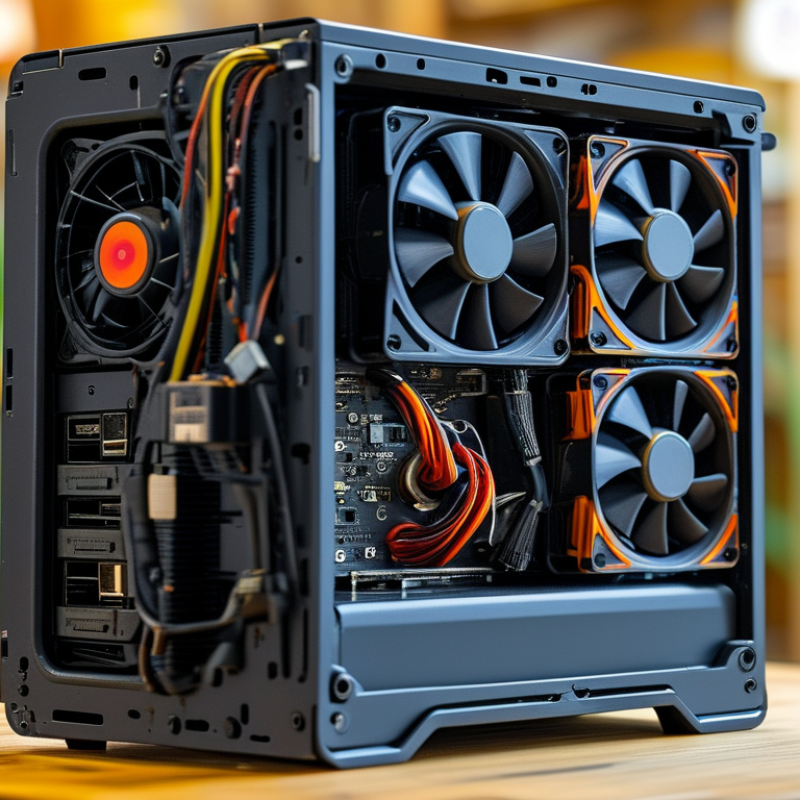
What Defines a Fanless PC and Its Key Features
A fanless PC is a compact computing device that operates without traditional cooling fans. It relies on passive cooling solutions, like heat sinks and strategically designed enclosures, to dissipate heat. This design minimizes noise, making it ideal for quiet environments such as offices and libraries. According to a report by MarketsandMarkets, the global fanless PC market is expected to grow at a CAGR of over 7% from 2022 to 2027, underlining their rising popularity.
Key features of fanless PCs include energy efficiency, durability, and a compact form factor. Typically, they consume less power, aligning with the ongoing push for sustainability. Furthermore, fanless designs eliminate mechanical components that are prone to failure. This enhances reliability, especially in industrial applications where durability is essential. A report from IDC highlights that businesses using fanless PCs see a reduction in maintenance costs by 35% due to their sturdy construction and fewer moving parts.
While fanless PCs present several advantages, there are some considerations. Their performance, while sufficient for many tasks, may lag behind that of traditional PCs under heavy workloads. Additionally, thermal management becomes critical; engineers need to consider ambient temperatures carefully. Balancing performance and cooling needs in fanless designs requires ongoing evaluation. This complexity invites both innovation and reflection in their implementation.
Advantages of Fanless PCs for Business Environments
Fanless PCs are becoming a practical choice for many businesses. These systems operate without fans, reducing noise and increasing reliability. Businesses in sensitive environments, like healthcare or libraries, benefit from a quieter workspace. Without moving parts, fanless designs tend to last longer, which can lead to lower maintenance costs.
Additionally, fanless PCs excel in thermal management. They use heat sinks to dissipate heat instead of airflow from fans. This results in less dust accumulation, leading to cleaner systems that require less frequent servicing. Over time, this can enhance overall productivity by minimizing interruptions caused by hardware failures.
Another noteworthy aspect is energy efficiency. Fanless PCs typically consume less power compared to traditional systems. This can lead to lower energy bills over the long term. Yet, it’s essential to consider that while fanless systems have many advantages, they may struggle under heavy computational loads. It’s important to assess the specific needs of your business before making a decision.
Comparison of Fanless PCs and Traditional PCs
When comparing fanless PCs and traditional PCs, several critical aspects emerge. Fanless PCs have no moving parts, leading to increased reliability in various environments. With no fans, these systems produce less noise and consume less energy. Studies show that fanless designs can reduce overall energy consumption by up to 30%, making them an eco-friendly choice for businesses. In settings where silence matters, fanless technology stands out.
Traditional PCs often come with cooling systems that can fail and generate heat. This can lead to hardware malfunctions, requiring costly repairs. Fanless PCs, on the other hand, utilize passive cooling. Their unique design allows heat dissipation without the need for fans, ensuring they operate smoothly over time. In environments like hospitals or schools, their silent operation can greatly enhance the user experience.
When evaluating options, businesses should consider their specific needs. A quieter workspace can boost productivity, while energy savings can reduce operational costs. Assessing environmental conditions is crucial. If dust or other contaminants are concerns, fanless systems may be preferable. Always measure long-term benefits, such as reduced maintenance costs. Each option has its pros and cons; weigh them carefully to find the best fit for your operational needs.
Comparison of Fanless PCs and Traditional PCs
| Feature | Fanless PC | Traditional PC |
| Cooling Method | Passive cooling | Active cooling with fans |
| Noise Level | Silent operation | Audible noise from fans |
| Size & Form Factor | Compact and lightweight | Generally bulkier |
| Power Consumption | Lower power usage | Higher power consumption |
| Heat Generation | Minimal heat output | Generates significant heat |
| Lifespan | Longer lifespan due to lack of moving parts | Shorter lifespan due to fan failures |
| Use Cases | Ideal for noise-sensitive environments | General computing tasks |
Considerations When Choosing a Fanless PC for Your Business
Fanless PCs are increasingly chosen by businesses seeking durability and efficiency. These systems are designed without traditional cooling fans, which often break down or accumulate dust. According to a recent industry report, fanless systems can operate in harsh environments, significantly extending their lifespan up to 50% compared to conventional PCs. This reliability is crucial for operations that require consistent performance without interruptions.
When selecting a fanless PC, consider factors such as power consumption, heat dissipation, and processing capability. Fanless models typically utilize passive cooling technology, which can lead to lower energy costs. A study by IDC indicated that reduced energy consumption is a growing concern, with businesses aiming to decrease overhead by 20%. Choosing a model with adequate processing power is essential for handling multiple applications smoothly.
Evaluate the environment where the PC will be used. For example, are there significant temperature fluctuations or exposure to dust? Fanless designs can mitigate issues caused by contaminants. However, not all models suit every industry. There’s a need to balance performance and efficiency according to specific business needs. Ensuring you have the right specifications and understanding the potential trade-offs is vital for a successful deployment.
Best Use Cases for Fanless PCs in Various Industries
Fanless PCs are becoming increasingly popular across various industries. These computers offer a unique advantage; they operate silently and efficiently, making them suitable for several applications. In healthcare settings, for example, the quiet operation is crucial for patient comfort. They can be used in medical imaging, where noise can be distracting to both patients and staff.
In manufacturing, fanless PCs excel in harsh environments. They can withstand dust, debris, and extreme temperatures without overheating. This reliability minimizes downtime in production processes. Furthermore, they consume less power, providing a sustainable choice for businesses aiming to reduce their energy costs.
When considering fanless PCs, think about your specific needs. Evaluate the environment where the PC will be used. This reflection can help ensure optimal performance and longevity. Remember to weigh the benefits of thermal efficiency against potential limitations in processing power. Sometimes it’s about finding the right balance for your business.



 Customer Support
 Request Sample
 Contact